A Quick Introduction to Microsoft SharePoint Intranet

Growing organisations encounter one major challenge: ensuring the dissemination of information across all resources and stakeholders. This is crucial to ensure that there are no barriers to communication while maintaining a connection at all times. Enter Microsoft SharePoint Intranet. SharePoint is a powerful tool in the Microsoft 365 suite, designed to streamline collaboration, document management, and communication for teams and organisations. Understanding SharePoint is just the beginning to exploring its capabilities and unlock its potential.
Before everything, are you sure about your Microsoft licensing plan? Get An Assessment Done. Let us now get started.
What is Microsoft SharePoint?
Microsoft SharePoint is a web-based platform that helps teams store, share, and manage content. It’s part of the Microsoft 365 suite, along with apps like Outlook, Teams, and OneDrive; SharePoint seamlessly integrates into this setup. SharePoint is more than just online storage. It’s a flexible tool that supports many types of workflows.
Teams usually use it for:
- Centralising documents across departments
- Creating onboarding checklists for HR processes
- Sharing marketing assets and calendars
- Managing internal forms and workflows
Microsoft SharePoint is a digital workspace where each department or team is allocated a space to upload documents, track tasks, and post updates. All information is organised in one place, accessible from a browser, and secured with permission controls.
Furthermore, SharePoint can also serve as a secure company intranet or an internal website for distributing updates and policies. If an individual manages projects with multiple people, they can use it to create task lists and share progress updates. Teams also use it for document version control, ensuring that only the latest versions are shared and distributed.
Whether you’re managing projects, sharing files, or creating a company-wide intranet, SharePoint provides all the tools required to ensure that everything is connected and organised.
What is a SharePoint Intranet?
A SharePoint intranet is an internal website built atop the SharePoint platform. It is the space that resources usually visit for corporate news, official documents, team pages, event calendars, internal forms, directories, and more. SharePoint intranets go far beyond bare bulletin boards; organisations use them to connect people and processes.
Since SharePoint is a key part of Microsoft 365, the Intranet doesn’t operate in isolation. Microsoft Teams, OneDrive, Copilot, Stream, and Power BI all work together, bringing collaboration, knowledge management, analytics, and communication into a single
Microsoft 365 Business Standard vs Premium: A Quick Comparison
Why does Microsoft SharePoint Work Well for Intranet?
SharePoint’s longevity and continuous evolution make it an industry-leading choice for building intranets. Here’s why organisations consistently choose SharePoint:
| Feature | Benefit/Description |
| Out-of-the-box web features | Instant access to news, events, quick links, document libraries, directories, and more |
| Scalability | Supports small businesses to global enterprises |
| Robust integration | Seamlessly connects Outlook, Teams, OneDrive, Power Automate, and more. |
| Governance & security | Advanced permissions, compliance tools, and DLP features |
| Powerful search | Find people, documents, and sites across the entire organisation. |
Key Features of a Modern SharePoint Intranet:
SharePoint intranets come packed with features designed to enhance efficiency, connection, and digital transformation. Here’s a breakdown:
| Area | SharePoint Feature |
| Employee Engagement | News, events, staff directories, social features (@mentions, comments, likes) |
| Content Management | Document libraries, metadata tagging, version control, and records management |
| Workflows & Automation | Power Automate, approval flows, notifications |
| Data & Reporting | Power BI dashboards, KPI widgets, reports |
| Security & Compliance | Role-based access, DLP, audit logging, eDiscovery |
| External Collaboration | Secure guest access, permissions, and Teams integration |
How to Build a SharePoint Intranet?
Implementing a SharePoint intranet begins with thoughtful planning. Here’s a structured approach that can be followed:
| Step | Details |
| Define objectives | Clarify intranet goals: news, docs, collaboration |
| Choose platform version | SharePoint Online (cloud) or Server (on-premises) |
| Plan site structure | Map out pages, department sites, homepage |
| Create a site collection | Use built-in templates: Team Site, Communication Site, Document Center |
| Configure settings | Set name, logo, landing page, branding |
| Populate with content | Add libraries, lists, news, events, and custom pages. |
| Secure and manage access. | Create groups, assign permissions, and set sharing |
| Launch and refine | Gather feedback, iterate, train users |
SharePoint Information Architecture: Building for Scale and Usability
A successful SharePoint Intranet starts with a well-designed information architecture. This means carefully organising sites, libraries, metadata, and navigation so every user can find what they need with minimal effort. Modern SharePoint Intranets leverage:
- Communication Sites: For broad updates, resources, and news.
- Hub Sites: To unify related sites/departments and centralise search/content management.
- Team Sites: Dedicated spaces for projects or workgroups, with deep Teams integration.
- Document Libraries: Centralised storage with versioning, co-authoring, and advanced permissions.
- Knowledge Bases and Directories: For FAQs, SOPs, training content, and organisational hierarchies.
SharePoint Intranet Integration & Automation Capabilities
SharePoint Intranets aren’t just passive repositories; they integrate and automate real work. Let us go through the following:
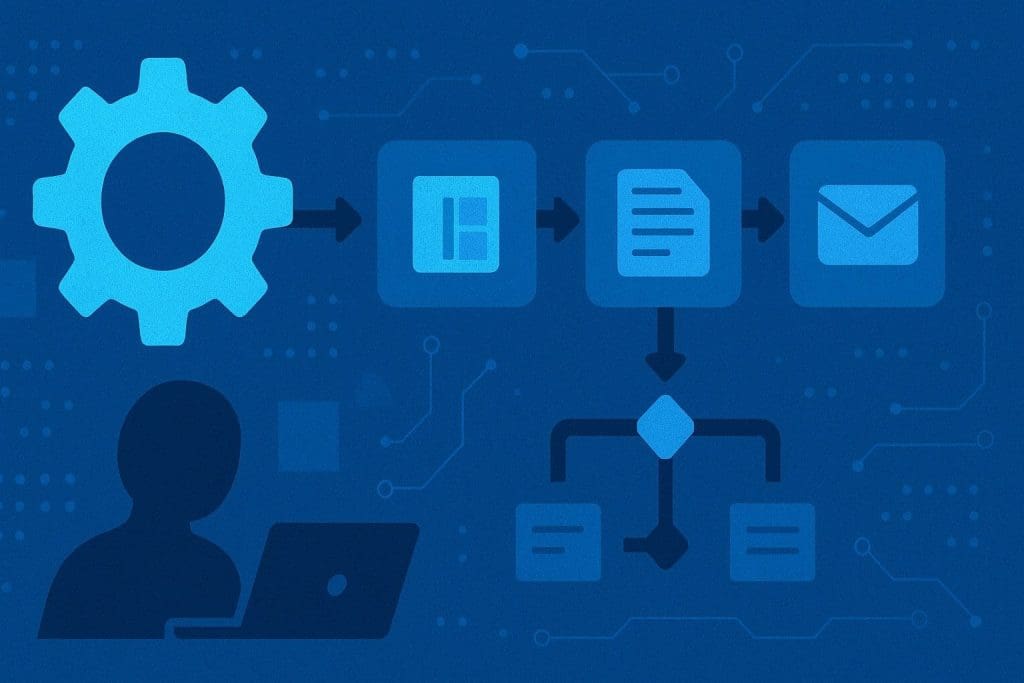
- Power Automate: Create automated leave requests, document approvals, notifications, and custom workflows.
- Power BI: Embed dashboards and reports directly into intranet pages.
- Microsoft Lists: Track assets, tasks, inventory, support tickets, and more.
- Viva Engage/Stream: Connect people via company-wide conversations, live or on-demand events, and rich multimedia content.
- Microsoft Purview Integration: Manage content retention, compliance, privacy, and eDiscovery all within your digital workspace.
Security, Permissions, and Compliance
Security is at the heart of SharePoint Intranet architecture. With Microsoft’s enterprise-grade security stack, you get:
- Tailored permissions for individuals, teams, and departments.
- Protect sensitive information, prevent leaks, and enforce compliance.
- Track changes, user access, and protect business-critical data.
- Grant secure guest access with tight controls, all managed centrally.
Advanced User Experience and Engagement:
Modern Intranets are more than document libraries and news feeds. SharePoint supports engaging experiences:
- Personalised news: Target updates by role, location, or department.
- Live announcements: Share critical info in real time across teams and devices.
- Feedback forms and polls: Gather ideas, votes, and suggestions interactively.
- Mobile responsive: Access from any device, anywhere native apps and browser support.
In a nutshell: Why is Microsoft SharePoint Intranet Ideal?
| Reason | How SharePoint Delivers |
| Employee Engagement | Interactive news, events, directories |
| Content Management | Metadata, versioning, retention, compliance |
| Process Automation | Power Automate for approvals and workflows |
| Data & Analytics | Power BI dashboards, report integration |
| Security & Compliance | Permissions, DLP, monitoring, eDiscovery |
| Collaboration | Guest access, Teams integration, sharing |
Why Kloudify for Microsoft Service Implementation?
Choosing the right partner to design, implement, and optimise your SharePoint intranet makes all the difference. Kloudify is a trusted Microsoft partner and expert, supporting organisations from planning to deployment of Microsoft solutions in Australia. Our consultants ensure that your Intranet’s architecture is designed for scalability, compliance, and user experience, tailored uniquely to your business objectives.
Apart from continued support, we also help you unlock advanced features such as automation, compliance with Microsoft Purview, and deep integration with Teams, ensuring your business communication stays secure, seamless, and future-ready.
Do you want to Get Started Right Away?