or IT managers, moving from Microsoft Configuration Manager (SCCM) toward Microsoft Intune is rarely a single cutover. It’s a staged modernisation program that affects device onboarding, application delivery, patching, compliance reporting, and user experience, often while you still need SCCM to support legacy apps, on-prem dependencies, or constrained networks. For many organisations, the decision to migrate from SCCM to Intune is driven by the need to modernise endpoint management for a remote, cloud‑first workforce.
Hybrid work, cloud apps, and a broader threat landscape have changed the baseline for endpoint management. Devices now spend more time off-network, identity is the new control plane, and security teams expect measurable compliance and conditional access enforcement, not just “patched on LAN.”
This guide outlines a phased approach for IT managers to assess, pilot, and transition workloads safely.
Start with a diagnostic (low-risk): If you’re unsure where SCCM vs Intune boundaries should sit in your environment, begin with an endpoint management diagnostic inventory, risk mapping, and a migration pathway you can validate with security and the business.
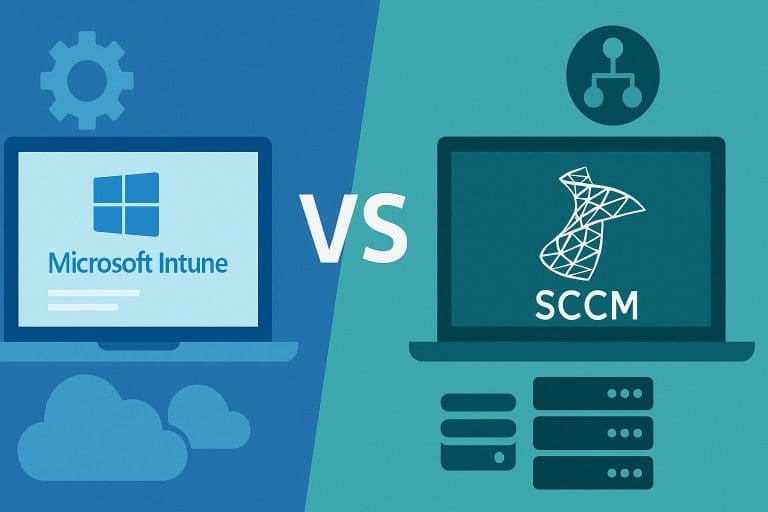
Understanding the Difference: SCCM vs Microsoft Intune:
Before you plan workloads and timelines, align on what each platform is best at in your operating model (network reach, delivery method, reporting, and dependency on on-prem infrastructure). Most organisations run a hybrid period where both tools matter. This transition is often part of a wider SCCM to Microsoft migration, with endpoint management being one of the first areas to modernise.
| Area | SCCM | Microsoft Intune |
| Deployment Model | On-premises | Cloud-based |
| Infrastructure | Requires servers and SQL | No local infrastructure required |
| Device Reach | Best for internal networks | Manages devices anywhere |
| Update Management | Software Update Point | Windows Update for Business |
| Scalability | Infrastructure dependent | Cloud-native scaling |
The difference between SCCM and Intune lies primarily in architecture, device reach, and how endpoint management is delivered in modern environments. Microsoft Intune is designed to manage devices over the internet without relying on VPN connections or internal servers.
Readiness checkpoint: Before moving workloads, confirm your tenant, identity, and network prerequisites (Entra ID integration, licensing, enrollment paths, and Microsoft endpoint access). This prevents “pilot success / rollout failure” patterns.
SUGGESTED READ –

Why IT Teams Adopt Intune as part of Modern Endpoint Management:
IT teams typically move workloads toward Intune to improve off-network control, strengthen compliance-to-access enforcement, and streamline provisioning, while keeping a safety net for complex application delivery during the transition.
- Manage Devices Anywhere: Cloud-based policy delivery and reporting for remote and hybrid devices, without forcing VPN dependency.
- Reduce on-Prem Overhead (where appropriate): Less reliance on management servers for day-to-day policy and compliance workflows, while keeping SCCM where legacy requirements exist.
- Security Integration with Identity Controls: Device compliance can directly influence access through Entra ID and Conditional Access, enabling risk-based access decisions.
- Modern Provisioning: Windows Autopilot enables standardised onboarding without manual imaging, reducing build variance and improving auditability.
SCCM to Intune Migration Approach: Phases IT Managers Can Run:
A successful Microsoft Intune migration from SCCM follows structured, phased SCCM to Intune migration steps rather than a big‑bang cutover. The goal is continuity: keep endpoints compliant, keep apps working, and shift workloads only when telemetry and support readiness confirm stability.
Phase 1: Discovery and Assessment (Inventory, Risk, and Scope)
This phase determines the project’s success because it prevents hidden dependencies from surfacing during rollout. Build a defensible inventory across devices, users, apps, and policies, and identify where SCCM must remain in place (even temporarily).
- How many devices are managed as on date?
- What are the operating systems in use?
- What are the applications deployed?
- What policies and configuration baselines exist?
- How are SCCM collections structured?
This is also your cleanup opportunity: retire unused collections, remove legacy deployments, and document “what good looks like” for compliance and patch posture. Without a full inventory, migration becomes risky guesswork.
Phase 2: Licensing and Tenant Readiness (Identity, Enrollment, Network)
Readiness is where many programs stall. Validate prerequisites early so your pilot reflects production reality (who can enroll, from where, with which policies, and how devices will be recovered if something goes wrong).
- Verifying Microsoft 365 licensing includes Intune
- Confirming Entra ID synchronisation (for hybrid environments)
- Setting MDM authority
- Configuring enrolment restrictions
- Reviewing firewall access to Microsoft endpoints
This foundation ensures devices can enrol smoothly, even without connectivity.
Readiness Support: If your team needs a second set of eyes on enrollment design, Conditional Access alignment, and rollout guardrails, run an Intune readiness workshop before you move workloads at scale.
Phase 3: Co-Management (Reduce Risk While you Transition Workloads)
For many environments, co-management is the safest pathway: SCCM and Intune manage devices in parallel while you shift workloads gradually. This reduces disruption, preserves established app delivery where required, and gives you a rollback option while reporting and support processes mature.
Typical workload migration order:
| Workload | When to Move |
| Compliance Policies | Early |
| Device Configuration | Early |
| Resource Access (VPN/Wi-Fi) | Mid-stage |
| Windows Updates | After pilot validation |
| Application Deployment | Last |
Co-management planning (trust-first): Define workload move criteria (telemetry, helpdesk readiness, app success rate, update compliance) before you flip switches. A co-management roadmap makes the transition measurable and defensible.
Phase 4: Application Migration (Packaging, Detection, and Testing)
Application repackaging and testing are common Intune application migration issues that require detailed validation. SCCM supports various deployment types, and not all of them translate directly to Intune.
- Common scenarios include:
- Converting MSI applications into Intune Win32 apps
- Rewriting script-based installations
- Breaking down task sequences into separate app dependencies
Every application must be tested carefully. Intune executes installations differently from SCCM. Detection rules must be accurate to avoid failed deployments. This phase requires patience and detailed testing.
Phase 5: Pilot Deployment (Validate Policies, Apps, and Updates)
A pilot phase helps prevent large-scale disruption. Select a small group of users and devices. Include different roles and hardware types. During the pilot:
- Validate policy application
- Confirm application installations
- Monitor compliance reporting
- Test Windows Updates delivery
- Gather user feedback
Running the pilot for at least two weeks provides enough visibility into performance and user experience.
Phase 6: Full Rollout and SCCM Decommissioning (only after stability)
Once the pilot is stable:
- Roll out in controlled waves
- Move all workloads fully to Intune
- Remove the SCCM client from endpoints
- Monitor stability
- Decommission SCCM infrastructure
Decommissioning should only happen after confirming that all endpoints function correctly under Intune management.
What Improves After Migration (when executed with control)
Once key workloads are stable in Intune and operational processes are updated (support, reporting, security enforcement), IT teams typically see improvements across cost, speed, and control.
| Aspect | Outcome |
| Infrastructure Costs | Reduced |
| Server Maintenance | Eliminated |
| Device Provisioning Time | Faster |
| Remote Device Control | Improved |
| Security Posture | Strengthened |
| IT Operational Effort | Lower |
In many cases, support tickets related to patching and device imaging decrease significantly after full Intune adoption.
Common Migration Risks And How to Reduce Them
These SCCM to Intune migration challenges are manageable when identified early and addressed through pilots and phased rollout.
- Application Complexity and Silent Dependencies: Prioritise app discovery, owners, install context, and network/identity assumptions. Treat packaging and detection as engineering, not admin.
- Policy Translation Gaps: SCCM baselines and GPO patterns rarely map 1:1. Redesign policies around desired outcomes (compliance, configuration, access) and validate with a pilot.
- User and Service Desk Impact: Communicate changes early, update runbooks, and ensure support can troubleshoot enrollment, app installs, and update issues.
- Premature SCCM Retirement: Decommission only after production stability is proven and remaining SCCM-dependent use cases are formally closed or migrated.
Modern Endpoint Management:
Endpoint management is moving toward identity-driven access, automated compliance enforcement, and cloud-native operations—while still supporting hybrid realities. For IT managers, the north star is measurable control with minimal friction for users.
- Identity-driven access control
- Zero Trust security models
- Cloud-native device management
- Automated compliance enforcement
- Microsoft Intune aligns with these trends.
SCCM may still function, but Intune is built for a cloud-connected world.
Why Partner with Kloudify for Intune Deployment and Co-Management
When planned correctly, organisations can migrate from SCCM to Intune in a controlled, low‑risk manner that supports modern work without disrupting users. Kloudify supports IT teams end-to-end:from assessment and co-management design to application migration, pilot execution, and post-rollout optimisation—so you can modernise endpoint management without destabilising the fleet.
Ready for a controlled migration plan? Book a short scoping call to review your current SCCM footprint, target end state, and a phased co-management pathway
SCCM to Intune Migration: Key Questions IT Managers Ask
A successful migration starts with discovery, not deployment. Begin by inventorying devices, OS versions, applications, collections, and configuration baselines so you know what must be rebuilt versus retired. Next, confirm licensing, tenant readiness, Entra ID alignment, MDM authority, and network access to Microsoft endpoints. For larger environments, enable co-management and move workloads in phases—typically compliance and configuration first, then updates, and applications last after validation. Use a pilot group that represents real device types and roles, monitor results for at least two weeks, then roll out in controlled waves. Decommission SCCM only after stability is confirmed.
Organisations usually consider the move when endpoint reality no longer matches an on-prem management model—remote work becomes standard, devices rarely connect to corporate networks, and cloud apps are critical to productivity. It’s also timely when infrastructure overhead (servers, SQL, patching, maintenance) consumes budget and time, or when security posture requires identity-driven controls and real-time compliance enforcement. The right moment is typically when IT wants to modernise endpoint management without sacrificing control—especially if the business is adopting Zero Trust principles, Conditional Access, and automated provisioning. For many IT managers, timing is driven by operational complexity as much as security.
Yes—this is often the safest approach for enterprise environments. Co-management allows SCCM and Intune to manage the same endpoints while you transition workloads gradually, reducing the risk of disruption. IT teams typically start by moving lower-risk workloads such as compliance policies and device configuration to Intune, then validate behaviour across pilots. More sensitive areas—Windows Update rings and application deployment—usually come later after detection rules, packaging, and user experience are proven. Co-management also gives you a practical rollback path: if a workload needs adjustment, you can pause or shift it back temporarily. This staged transition supports continuity while modernising.
The biggest risks are rarely “platform risks”—they’re planning risks. Application migration is commonly the most time-consuming area, especially when packaging, dependencies, and detection rules are not well documented. Policy redesign is another risk because SCCM baselines don’t map one-to-one to Intune; copying instead of rethinking can create gaps. User disruption can occur if communication is unclear or rollout is rushed, leading to support tickets and productivity impact. Finally, decommissioning SCCM too early is a common mistake—stable validation should come first. These risks are controlled through discovery, pilots, phased rollout, and measurable success criteria per phase.
SCCM remains relevant in environments with strong on-prem requirements, tightly controlled internal networks, or specialised workloads that depend on traditional management patterns. It’s mature and effective for certain scenarios. However, its limitations show up when the workforce is distributed and devices operate primarily off-network. Intune is designed for cloud-connected endpoint management and integrates closely with identity, Conditional Access, and compliance-driven access decisions. For many organisations, it’s not an “either-or” decision at first—co-management lets IT managers combine strengths and transition at a pace that matches risk tolerance. SCCM can still function; Intune is built for where endpoint management is heading.