Collaboration with external parties, vendors, contractors, frontline staff, and hybrid workers is essential for business growth. However, providing access to business systems also increases the risk of data leakage, especially when unmanaged or shared devices are involved.
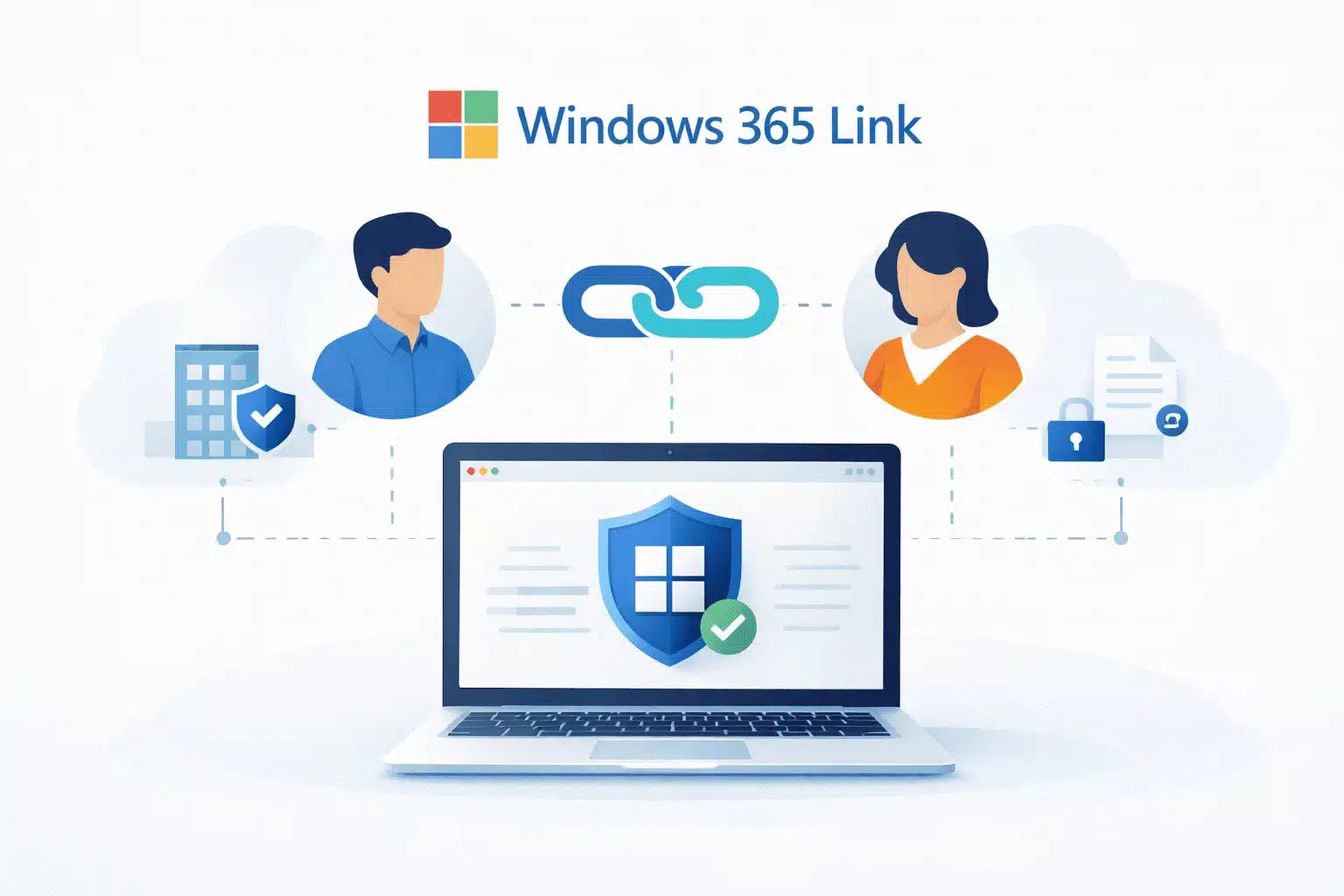
Windows 365 Link addresses this challenge by removing business data from the device entirely. Instead of storing files locally, it provides secure, cloud-based desktop access through a Windows 365 Cloud PC. The device itself becomes a controlled access point, not a data repository.
This article explains what Windows 365 Link is, how it works, and why it is an effective solution for secure external collaboration without data leaks.
Need to Give Contractors Access Without Exposing Your Data?
What is Windows 365 Link?
Windows 365 Link is a small, purpose-built device designed to connect directly to a Windows 365 Cloud PC. It is not a traditional computer.
There is:
- No full local operating system
- No locally installed business applications
- No local storage for user files
Sometimes referred to informally as Microsoft Windows 365 Link or Microsoft 365 Link, the correct and current product name is Windows 365 Link.
When a user signs in, they access their Cloud PC hosted securely in Microsoft’s cloud. Their desktop, applications, and data exist entirely there—not on the physical device. Once the session ends, nothing remains on the hardware.
Think of Windows 365 Link as a secure corridor, not a workspace. The Microsoft 365 Link helps businesses deal with challenges like:
- High employee turnover
- Contractors who need temporary access
- Shared desks and hot-desking environments
- Remote and frontline workers
- Increasing pressure to prevent data leakage
Traditional PCs in such cases create friction as they are expensive to manage, difficult to secure consistently, and risky when they change hands. Windows 365 Link helps businesses with:
- Centralised control
- Consistent user environments
- Minimal data exposure
- Faster onboarding and offboarding
While Windows 365 Link does not replace every computer, it solves a very specific problem: secure, controlled access to business systems.
How Does Windows 365 Link Work?
Using Windows 365 Link is intentionally simple:
- The user connects the device to power and the network
- They sign in using their Microsoft work identity
- The device connects them directly to their Windows 365 Cloud PC
From the user’s perspective, this feels like a normal Windows desktop—because it is. The difference is where it runs.
Under the hood, several security controls work together:
- Secure Boot ensures only trusted software runs
- TPM 2.0 hardware security prevents device tampering
- Encryption protects device state
- Passwordless sign-in reduces credential risk
Crucially, business data never lives on the device.
How Does this Help in Safe External Sharing and Prevent Data Leakage?
Data leakage often doesn’t come from malicious attacks. It comes from convenience. Consider the following instance:
- Files get downloaded to “work offline.”
- Documents stay on devices long after access should have been ideally removed.
- Contractors keep laptops longer than required
- Shared PCs accumulate data over time.
This makes Windows 365 Link especially effective for data leakage prevention during external collaboration
- Users cannot accidentally leave data behind on the device
- IT can revoke access instantly without retrieving the hardware
- Lost or stolen devices contain no usable business information
- External users only see what their identity allows and nothing additional.
This is particularly valuable when working with third parties. Businesses can, instead of sending files or granting broad access, provide a controlled workspace where data never leaves the environment.
Centralised Management for IT Teams
Windows 365 Link is managed entirely through Microsoft Intune, alongside other corporate endpoints. This allows IT teams to:
- Enrol and configure devices centrally
- Apply security and access policies consistently
- Push updates automatically during off-hours
- Monitor device health and compliance
Since the device itself is simple, there is less to troubleshoot. There are no application conflicts, no local storage issues, and fewer security exceptions. This consistency becomes especially valuable at scale or in environments with limited IT resources.
Performance and Sustainability Without Compromise
While compact, Windows 365 Link is built for everyday productivity:
- Support for dual 4K monitors
- Multiple USB ports
- Wired and wireless connectivity
- Fanless, silent operation
Limited local processing handles tasks like video playback and conferencing to reduce latency, while core business workloads remain in the cloud.
Microsoft has also focused on sustainability, using recycled materials and energy-efficient design to reduce long-term environmental impact.The casing and internal components use a high percentage of recycled materials, and the fanless design reduces energy use and mechanical wear. Microsoft 365 Links last longer and require less maintenance, reducing long-term costs and environmental impact.
Advantages & Disadvantages
| ✅ Advantages | ⚠️ Disadvantages |
| 🔒 No local data storage | 🌐 Requires continuous internet access |
| 🛡️ Strong security by design | 🚫 Cannot be used offline |
| ⚡ Fast setup and on boarding | 📦 No local application installation |
| 👥 Ideal for shared or temporary users | 💳 Requires a Windows 365 subscription |
| 🧩 Simplified IT management | 🧠 Not suitable for power users or specialized workloads |
Choose Kloudify to Secure Cloud-Based Access
Windows 365 Link reflects a shift in security thinking—from protecting devices to preventing data from reaching devices at all.
Kloudify helps Australian businesses:
- Deploy Windows 365 Link securely
- Integrate Cloud PCs with Microsoft Entra ID and Intune
- Reduce data leakage risks during external collaboration
- Design scalable, cloud-first access strategies
Let’s discuss your secure access strategy and see if Windows 365 Link is the right fit for your business.
Microsoft 365 Link: Key Questions Answered
What is Windows 365 Link and how does it work?
Windows 365 Link is a purpose-built device that provides secure access to a Windows 365 Cloud PC, with all data and applications hosted in the cloud.
How does Windows 365 Link prevent data leakage?
It prevents data from being stored locally. All files remain inside the Cloud PC, eliminating the risk of data being left behind on devices.
Who should use Windows 365 Link?
It is ideal for contractors, shared workspaces, frontline staff, and organisations that need secure external collaboration.
How is Windows 365 Link different from a traditional PC?
Unlike a PC, Windows 365 Link has no local OS, no apps, and no storage. It only provides access to a Cloud PC.
Is Windows 365 Link secure for external contractors and shared workspaces?
Yes. Access is identity-based, and data never resides on the device, making it highly secure for temporary or shared use.
What are the advantages and limitations of Windows 365 Link?
Advantages include strong security and easy management. Limitations include reliance on internet connectivity and lack of offline use.